
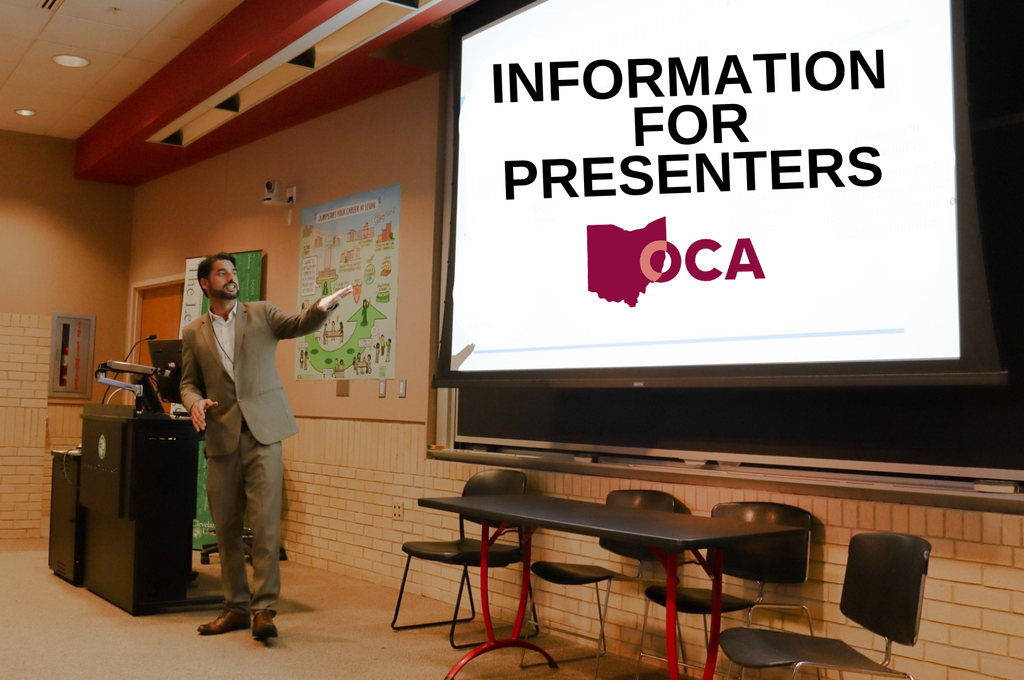
Thank you for contributing to the Ohio Communication Association’s annual conference. We are excited to showcase your work and appreciate the time and effort that goes into preparing a presentation. To help ensure your presentation is as successful as possible, please review the following information as you prepare to attend our conference in October.
Before the conference, all presenters must become members of the Ohio Communication Association (OCA) and register for the conference by September 15. Presentations may be removed from the program if the presenter is not registered by this date. Please click here to become an OCA member and register for the conference.
We understand that, for many, the costs associated with attending a conference can be quite high—especially for students. At OCA, we are dedicated to making our registration rates as affordable as possible. Thanks to the support of our Partners, the registration cost for students is only $25, which is lower than most academic associations. If this cost is still too high, we recommend contacting your department administrator: many academic departments offer travel stipends or grants to support conference-related expenses.
OCA conferences feature several different kinds of presentation formats including: (1) research papers, (2) research in progress sessions, (3) Great Ideas for Teaching Students (GIFTS) presentations, (4) research panels, (5) workshops, and (6) poster presentations. Specific guidelines for each presentation format are noted here. (Note: more information about each presentation type can be found on our Call for Submissions page.)
- Research Papers, Research in Progress, and GIFTS Presentations: If you are using a PowerPoint presentation, please save it somewhere easily accessible, such as an email where you know the password or a Google presentation where you know the password. Presentations should be 5-7 minutes long. Please keep to the time limit as we need to leave time for set up and questions at the end.
- Research Panel or Discussion: If you are using a PowerPoint presentation, please save it somewhere easily accessible, such as an email where you know the password or a Google presentation where you know the password. How your panel is set up will depend on how long each person will have to present. Please work this out with your panel presenters. Please leave at least 5 minutes for questions and comments from the audience
- Workshops: If you are using a PowerPoint presentation, please save it somewhere easily accessible, such as an email where you know the password or a Google presentation where you know the password. You will have 50 minutes for your workshop. Please keep in mind setup time.
- Posters: All posters should be ready for in-person presentation at the beginning of the poster judging session, which will take place on the first day of the conference. Authors should prepare a five-minute explanation of their poster, allowing ample time for questions and in-depth discussions. Authors find it helpful to present a brief introduction to the research and allow the remainder of the time for more in-depth discussions. The poster should include a clear title with authors and affiliations. Posters should be printed in color with 36” x 48” dimensions. Posters should include an explanation of the research problem, steps taken by the author(s), and future directions. Posters may include specific research questions/hypotheses, methods, conclusions/insights, feedback being solicited, and/or references. Microsoft has developed technology to help you develop an accessible poster presentation.
A draft of the conference schedule will be emailed to you and available on our website no later than September 1. As a presenter, it is your responsibility to review this schedule as soon as possible. Please ensure that you are not double-booked, that all your scheduling requests are accommodated, that your presentation information is accurate, and that your name and affiliation are spelled correctly. If you notice an error, please contact our OCA Conference Coordinators, Melissa Cumberbatch (mcumberbatch@cscc.edu) and Seth Smith (ssmit100@cscc.edu), no later than September 15.
A successful conference requires the contributions of many people, each of whom holds a different role in making the conference possible. Helpful information about key conference roles can be found below:
- Presenters: Presenters include anyone who is presenting work at the conference.
- Session Chairs: Session Chairs are volunteers delegated to ensure that a given session runs smoothly, professionally, and on time. Session Chairs manage the flow of the session, introduce presenters, address technical issues, and facilitate Q&A at the end of each session. The Session Chair is the ideal person to go to for questions about your session. Additional guidelines for Session Chairs can be found on our OCA Session Chair Responsibilities page.
- Registration Desk Attendants: Registration Desk Attendants welcome you to OCA and make sure you have everything you need to have a successful conference, including badges, programs, and more. They are excellent resources for any questions you may have about the conference.
- Executive Board Members: Executive Board Members are individuals who volunteer their time behind the scenes throughout the year to make sure your experience at OCA is worthwhile. Any Executive Board Member (each of whom wears a red ribbon on their badge) would be a great person to visit for any questions you might have about OCA. More information about the OCA Executive Board can be found on our Executive Board page.
- Partners: Partners are representatives of institutions who have partnered with OCA to make our conference possible, while introducing you to opportunities that might support your academic and career interests. Partners can be found at our Opportunity Fair and can answer any questions you have about their home institutions. More information about our partners can be found on our Partner page.
Each presentation room will include a computer with internet access, presentation software, a projector, and a screen. Access to an audio system cannot be guaranteed. If your presentation involves specific technical requirements, please contact OCA Conference Coordinators Melissa Cumberbatch (mcumberbatch@cscc.edu) and Seth Smith (ssmit100@cscc.edu) no later than September 15.
We encourage all presenters to arrive in their presentation room at least ten minutes early to set up and test any equipment with the session chair before the presentation begins.
All visual aids should be legible, accessible, and prepared in advance of the conference.
Presenters should keep the following principles in mind when designing visual aids:
- Assume a diverse audience. Remember that not all disabilities are immediately obvious.
- Use high-contrast backgrounds (e.g., black text on a white background) to enhance the readability of your visual aid.
- Utilize easy-to-read sans-serif typefaces (e.g., Calibri, Arial, Tahoma, Helvetica, etc.) and large font sizes (i.e., 14-16-point for printed handouts and 24-point or higher for projected slides) to help those with visual impairments read your material.
- Provide image descriptions when appropriate. Remember that the simpler the image or graphic, the easier it will be for your audience to absorb the information being presented.
- Minimize text-heavy visual aids by keeping written statements brief and direct. Filling posters, PowerPoint slides, or handouts with text can make it difficult for audience members to focus on your most important points.
- Remove distracting elements such as unnecessary sound effects, transitions, and images that can hinder your audience’s ability to focus on your message.
- Take advantage of tools like PowerPoint’s accessibility checker, which can be accessed on the “Review” toolbar by clicking on “Check Accessibility.” Using tools like this will help you to identify areas of your visual aids that could be improved.
For more information on ensuring your presentations are accessible to diverse audiences, we encourage you to check out the Accommodation Guide published by the National Communication Association.
Special Considerations for Handouts: If you choose to provide your audience with handouts related to your presentation, make sure to follow the accessibility principles listed above and print enough copies for everyone in your audience. While attendance for presentations varies, most OCA sessions have an audience of about 10-15 people.
Special Considerations for PowerPoints: If you choose to use a PowerPoint, please download your file directly onto your presentation device AND a USB flash drive before the conference begins. We encourage all presenters to arrive at their presentation location at least ten minutes early to set up and test their PowerPoint with the session chair before the presentation begins.
Special Considerations for Posters: Posters should be printed in color with 36” x 48” dimensions. Each poster should include a clear title, author names and affiliations, an explanation of the report, steps taken by the authors, necessary graphics, future directions of the project, and key references. All posters should be ready for in-person presentation at the beginning of the poster judging session, which will take place on the first day of the conference. Presenters should also prepare a five-minute explanation of their poster, allowing ample time for questions and in-depth discussions.
After arriving at the conference venue, stop by the check-in table to confirm your attendance, pick up your badge, and familiarize yourself with the conference venue. We encourage you to plan on arriving at the conference venue at least one hour before your presentation begins. This will give you extra time to find parking, research your room location, confirm information in the program, meet with your session chair, and set up and test any equipment you plan on using before your session begins.
When you are not presenting, we encourage you to take advantage of all the scholarship and networking opportunities OCA offers. Whether you would like to learn about emerging communication scholarship by attending other presentations, participate in disciplinary conversations by asking questions of and providing feedback to other presenters, visit our Opportunity fair to learn about our Partners and how they can serve your career goals, or meet other scholars, professionals, or students attending the conference, OCA offers many opportunities for you to make the most of your time at the conference.
As mentioned above, we encourage all presenters to arrive at their presentation at least ten minutes early to set up and test any equipment with the session chair before the presentation begins. We also ask that you scan the QR codes found in your program to provide session feedback to help make OCA even better in the future.
The OCA values and supports people of all backgrounds and experiences and is committed to fostering a respectful and welcoming environment for all individuals. We expect conference attendees to join us in our Commitment to a Just and Inclusive Community by following the conference etiquette guidelines noted here:
- Respect the schedule. Staying within allotted presentation times allows every presenter to receive a fair opportunity to share their ideas and leaves room for discussion.
- Minimize distractions. When attending a session, please silence your phones, avoid side conversations, and refrain from activities that may distract presenters or other attendees.
- Respond collegially. Treat questions and critiques as opportunities for intellectual exchange, rather than attacks. Assume good faith, even when you disagree.
- Be generous with feedback. Offer constructive comments that help advance the conversation rather than simply identifying weaknesses.
- Represent your institution and discipline well. Professionalism, courtesy, and respect contribute to a welcoming and productive conference environment for all.
While every presentation is different, there are many things you can do as a presenter to make your presentation meaningful and memorable to your audience. We offer the following advice to help ensure your presentation is strong and successful:
- Know the purpose of your presentation. What do you want your audience to know, understand, believe, or do as a result of your presentation? Why should your audience care about your presentation? What are the implications of your presentation for communication research, scholarship, and practice? Answer these questions and then make decisions about your presentation to best support your answers.
- Deliver a well-prepared extemporaneous talk. Please do not try to read your entire paper out loud, as this can be very boring for your audience. Use all the skills of a strong public speaker: engaging delivery, conversational style, and extemporaneous presentation. Demonstrate confidence in your work by preparing and presenting it well.
- Focus your presentation on your conclusions. Most of your speaking time should be used to share your results, conclusions, and implications. You only have a few minutes to share your insights, so do not waste time over-explaining your introduction, literature review, or methodology. Interested audience members can ask about these things during Q&A or request to read a copy of your paper after the presentation.
- Be mindful of your time limit. Before your presentation begins, you should confirm your time limit with your session chair, who will help you stay on track during your presentation. It is vital to be mindful of time limits in order to ensure ample time for Q&A after all presentations in a session conclude, and to be courteous to other presenters who may follow you. While every session is different, most presenters will have around 5-7 minutes to present their work. We encourage all presenters to practice delivering their presentations to ensure proper timing before the conference begins.
- Remember that this is a professional conference. Your presentation has been competitively selected, and your selection to present is a professional privilege that should be taken seriously. Please remember that the quality of your presentation will impact your professional reputation as well as the reputation of your institution. If, for any reason, you cannot make it to your scheduled presentation, you should contact our Conference Coordinators, Melissa Cumberbatch (mcumberbatch@cscc.edu) and Seth Smith (ssmit100@cscc.edu), as soon as possible to explain your situation.
By presenting at OCA’s annual conference, you grant the OCA the right to use pictures and videos taken during your presentation for marketing purposes. OCA will not record or livestream full presentations, but excerpts of presentations may be recorded for use on OCA’s website and social media profiles. If you would prefer not to be photographed or videographed during your presentation or any other time during the conference, please contact OCA Communication Coordinator Ryan Eisenhuth at re583323@ohio.edu.
Concluding Thoughts
If you have any questions or concerns about your presentation, scheduling, or technical requirements, please contact OCA Conference Coordinators Melissa Cumberbatch (mcumberbatch@cscc.edu) and Seth Smith (ssmit100@cscc.edu).
We look forward to hearing your presentation and to hosting another engaging and productive conference.